
Dr. Pastra Arinze
CEO @ BemsSoft Hub LTD.
Smart AIRS
Smart Airs is a digital tax collection platform for government agencies and the taxpayers they serve. Agents log every transaction in real time from a dashboard. Taxpayers pay straight from their phones, no queues, no paperwork. One system handles filing, payments, and compliance, with analytics that show agencies exactly what's coming in and where from.
Smart Airs
Category
Website & Management System
The Problem
Tax collection is mostly manual.
Agents write receipts by hand or use apps that don't talk to anything else, so what's collected in the field rarely matches what shows up in government books sometimes for weeks.
Paying tax means standing in line.
There's no straightforward way to file or pay without physically going to a tax office or catching an agent in person.
Cash goes missing between collection and remittance
Money changes hands with almost no oversight, and by the time anyone notices a shortfall, there's no trail left to follow.
Governments are flying blind on their own revenue.
Officials rely on manual reports that are outdated the moment they're compiled, so they're always reacting to last month's numbers, not this week's.
Smart AIRS's Goal
Smart Airs replaces that whole manual process. Agents get a dashboard where every transaction is logged the moment it happens. Taxpayers pay from their phones instead of standing in line. And for the first time, state governments can actually watch their revenue come in not guess at it from a report that's already out of date.
Design process
This process involves understanding user needs and business goals, conducting research, creating wireframes and visual designs, testing with users, iterating based on feedback, and collaborating with development teams to deliver an intuitive, user-centered product.
01
Step
Understand
User Research
User Interview
Competitve Analysis
02
Step
Define
User Personas
Empathy Map
User Journey
03
Step
Ideate
User Flow
Information Architecture
04
Step
Design
Wireframe
Hi-Fi Designs
Prototype
05
Step
Test
Feedbacks
Conclusion
Future Concept
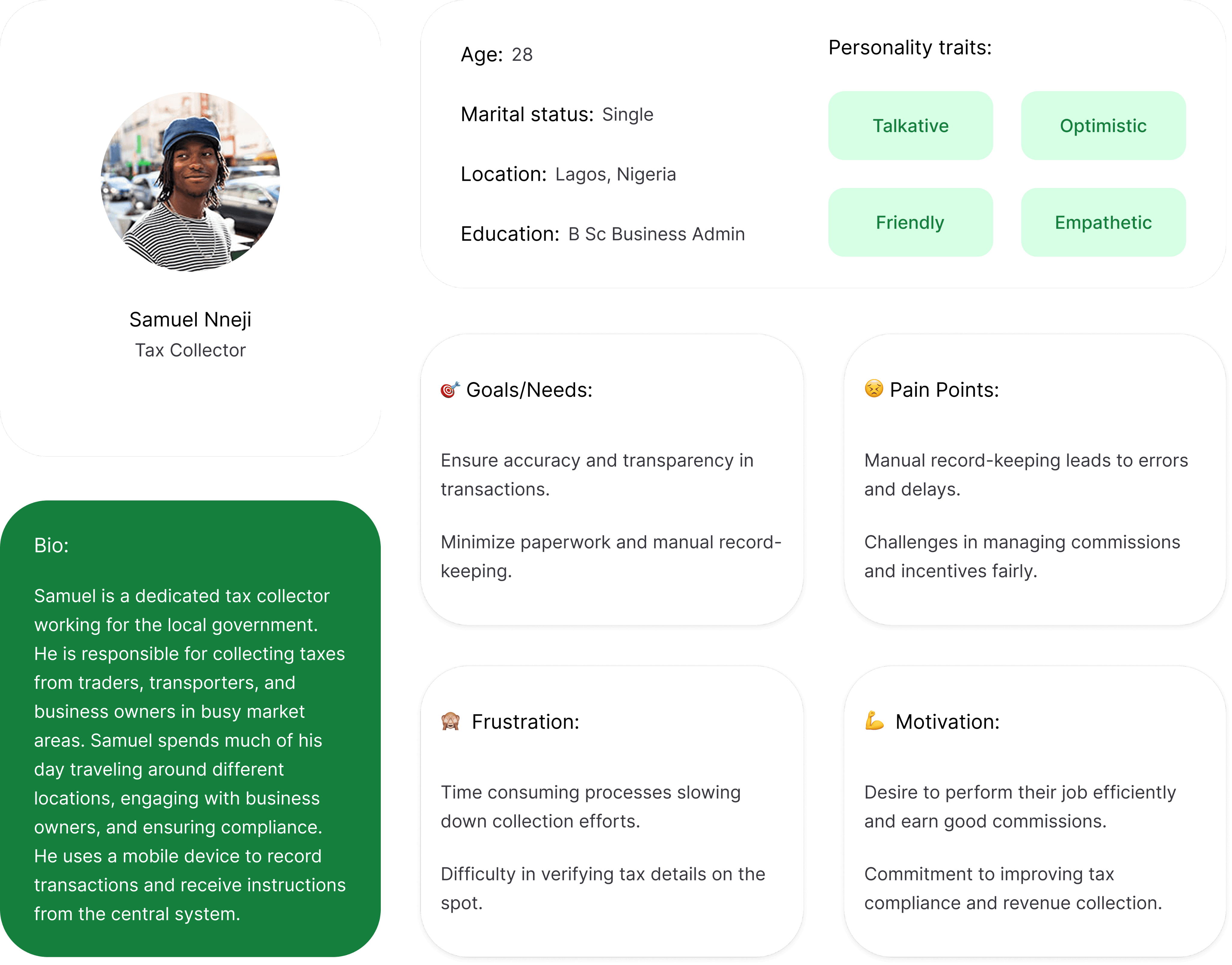
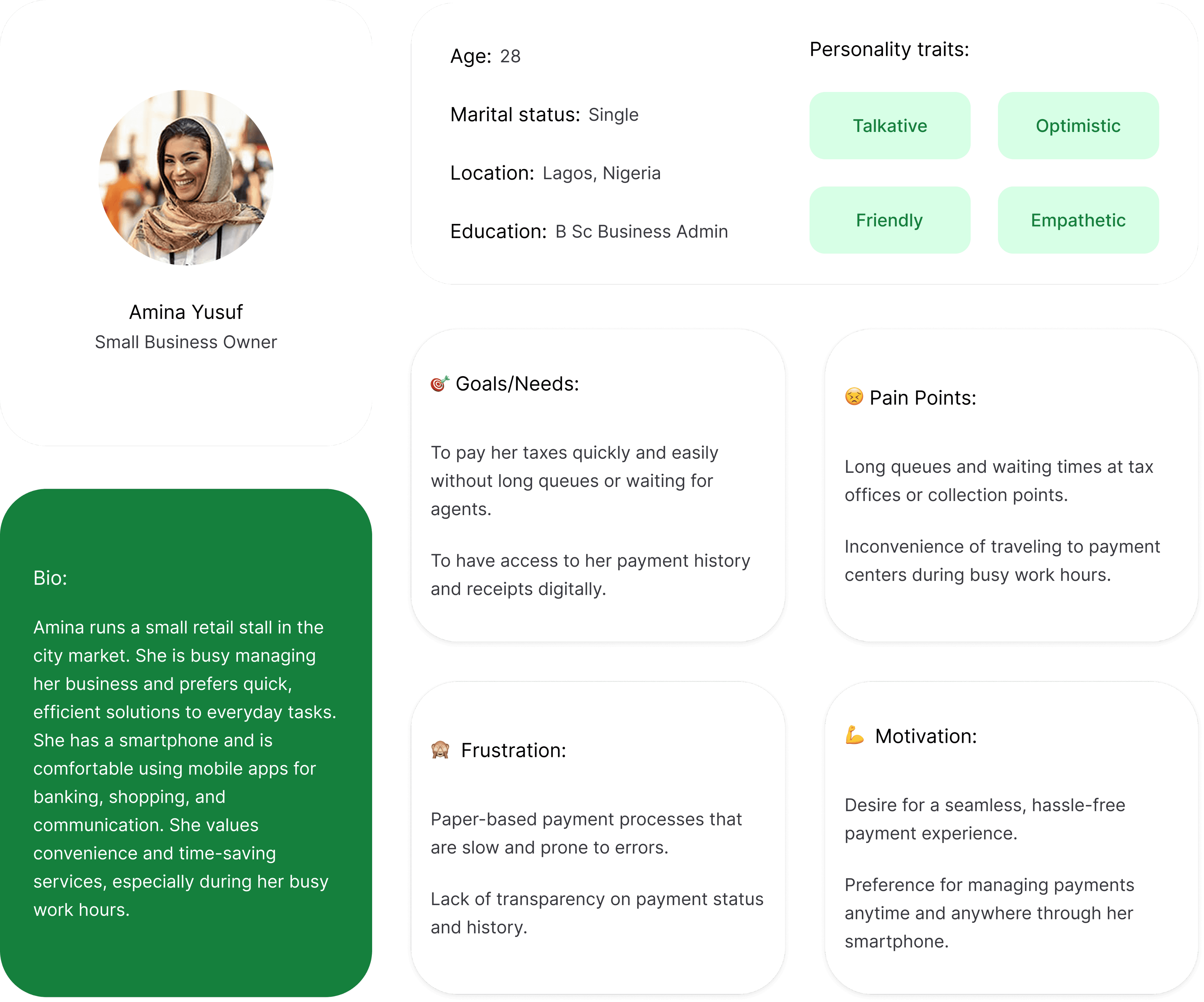
Meet the users
Real people, real problems. These personas shaped every decision
made in designing Smart AIRS
Smart AIRS Tax Agents

Tax Collector Agent
Samuel Nnaji
Tax Payer
Amina Yusuf
User Task flow
A step-by-step look at how users move through Nabata from entry point to goal,
with no unnecessary detours.
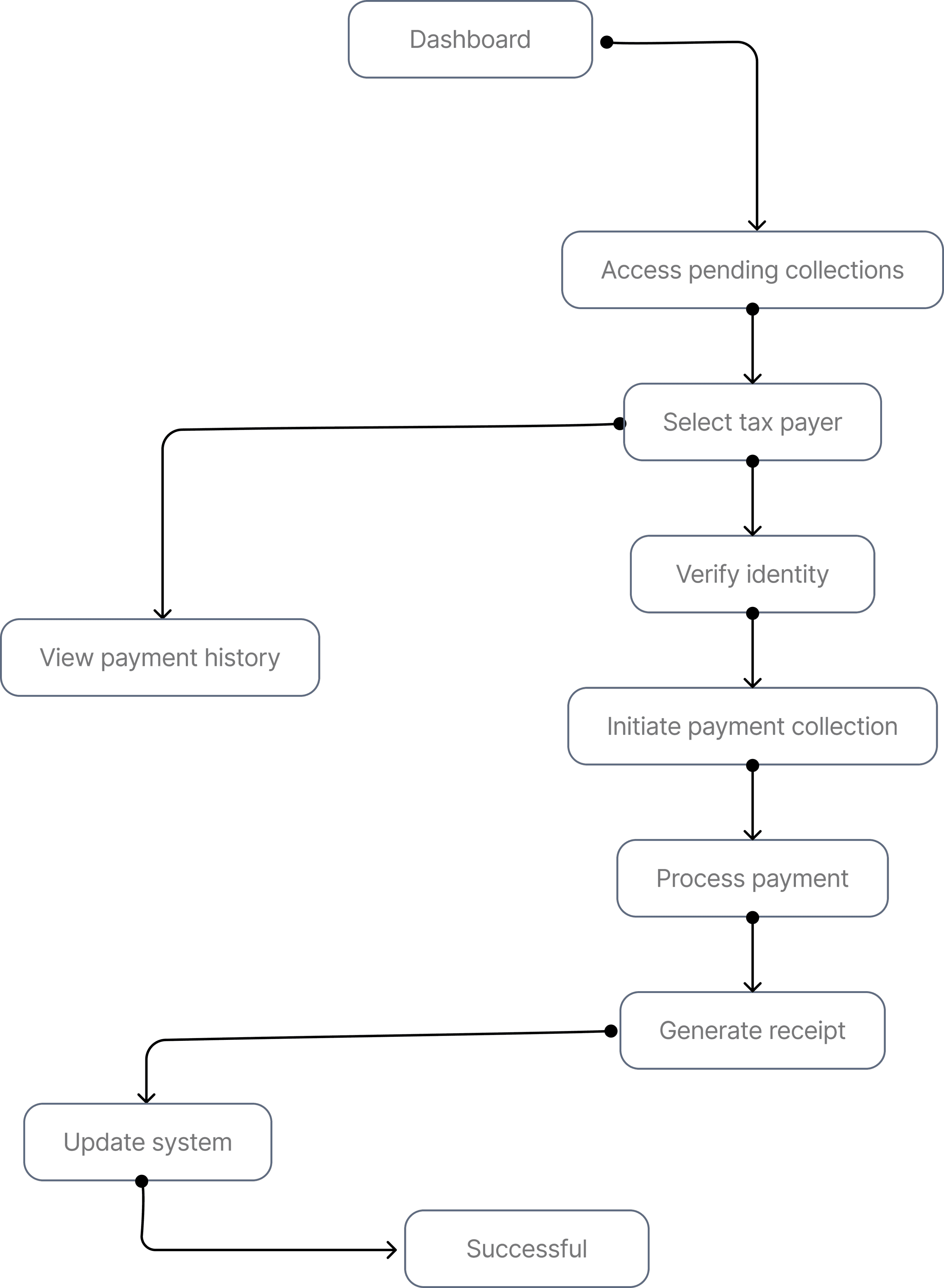
Agent's user flow
This illustrates the flow of Tax collection by agents
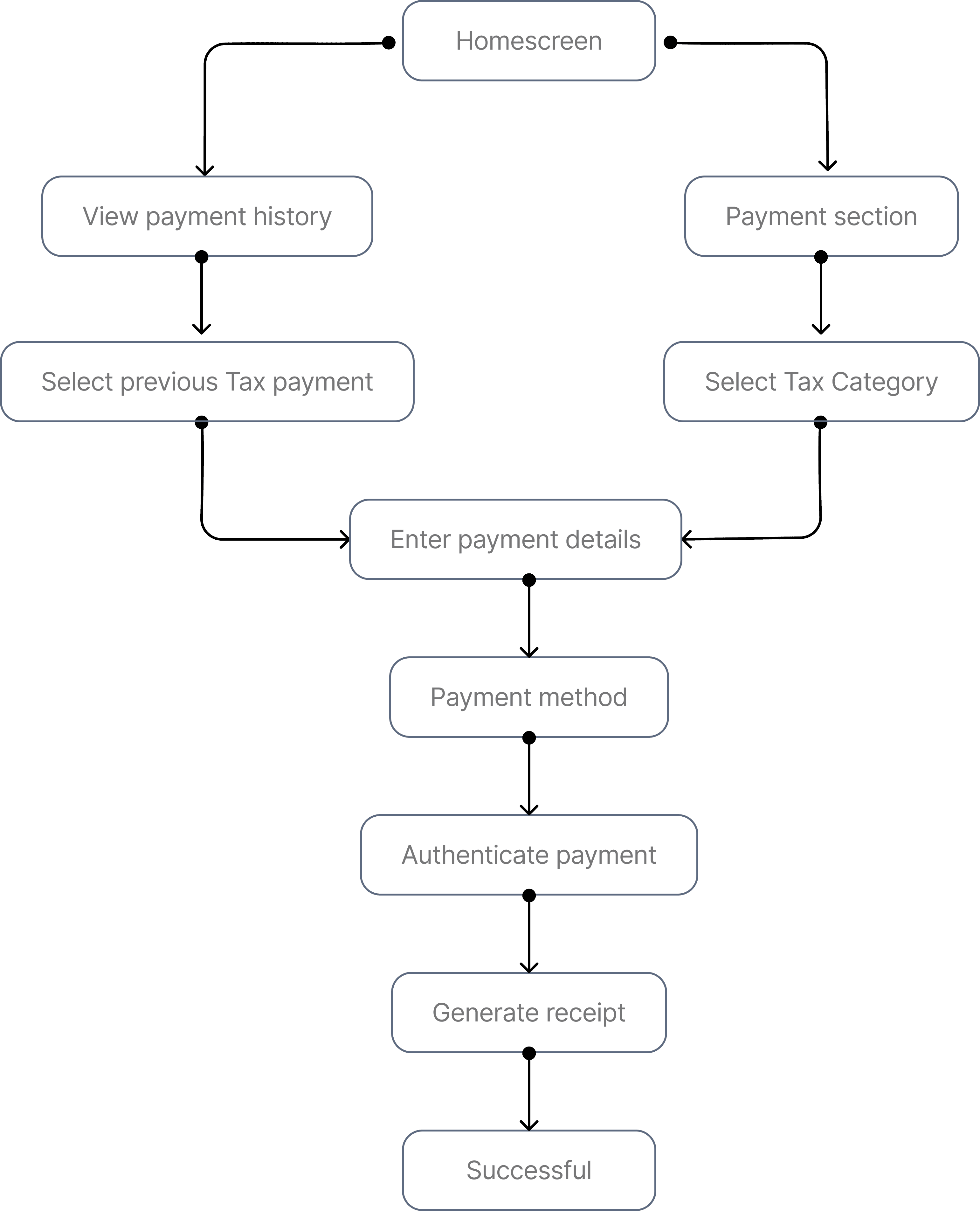
Taxpayer's user flow
This illustrates the flow of Tax payment by the masses
Low Fidelity Wireframes
A closer look at the screens that define how Smart Airs works from first tap to final transaction.
Taxpayer's Interface
Homescreen & Tax
Calculator


Taxpayer's Interface
Make payment & Tax filing
Receipt


Featured Screens
A closer look at the screens that define how Igree works from first tap to final transaction.
Website animation
Website Flow
Taxpayer's Interface
File taxes
This section walks users through filing taxes on Smart Airs


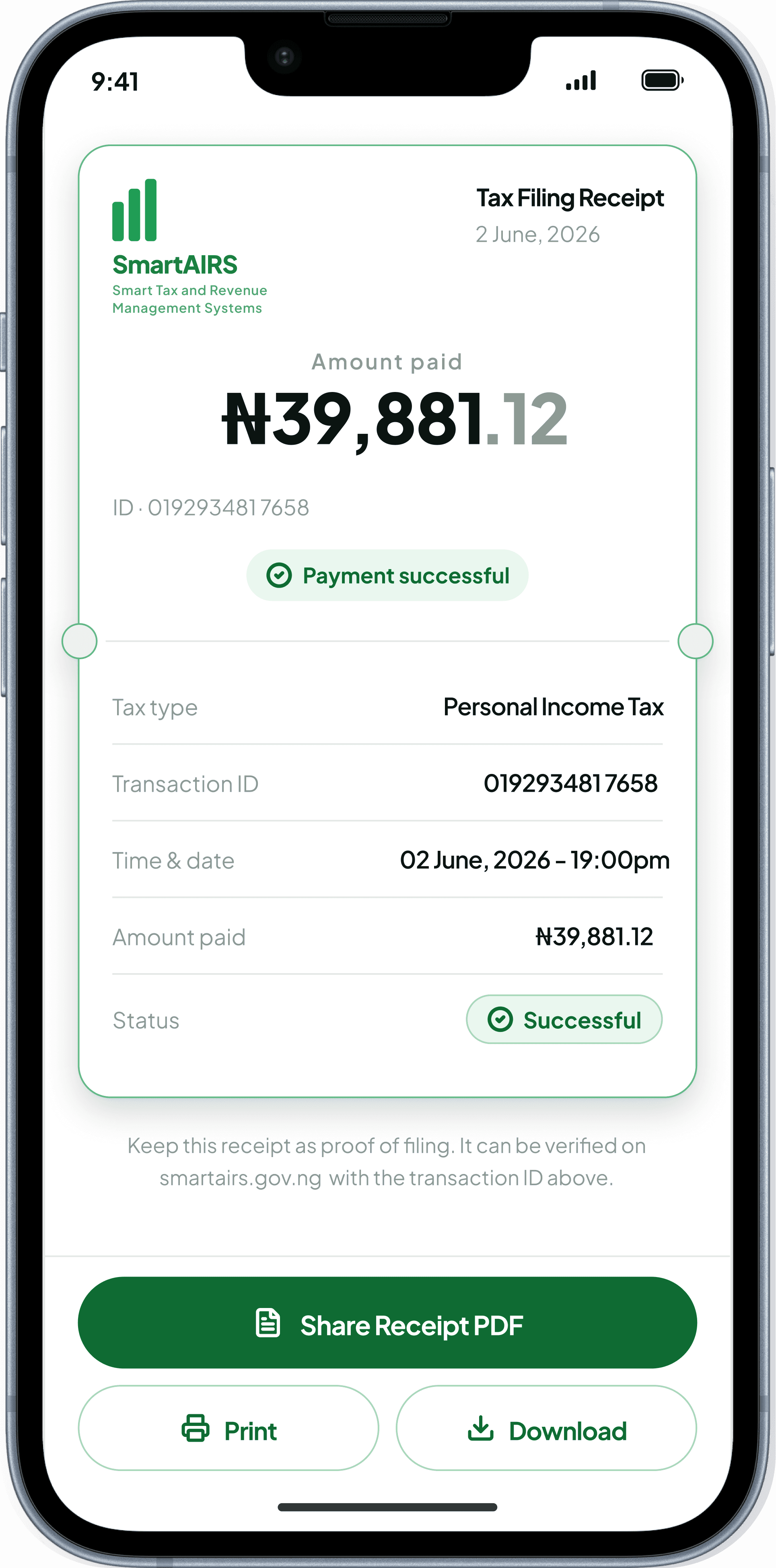
Taxpayer's Interface
Agent locator
This section walks users through locating various Smart Airs agents


Taxpayer's Interface
Doocument vault
This section walks users through uploading documents in the document vault


Taxpayer's Interface
Tax Calculator
This section walks users calculating their income taxes


Smart Airs' Impact
on Nigerian State
Tax Collection
Taxpayers
No more losing a morning to a tax office. Filing and payment happen from a phone, and the proof of payment is something a taxpayer can actually pull up later — not a slip of paper that gets misplaced by the next market day. Compliance stops being a chore and becomes a five-minute task.
Agents
Every transaction gets logged the second it's collected, so there's no evening spent re-writing a day's work into a report. Agents can focus on covering their zone instead of reconciling paper, and for the first time, doing the job well shows up somewhere — in numbers, not just in effort.
Government
State governments get to watch revenue come in as it happens instead of waiting on a report that's already outdated. They can see which zones are collecting well, which agents need support, and where money is going missing between the field and the ledger. Decisions that used to run on instinct now run on numbers.
Style Guide
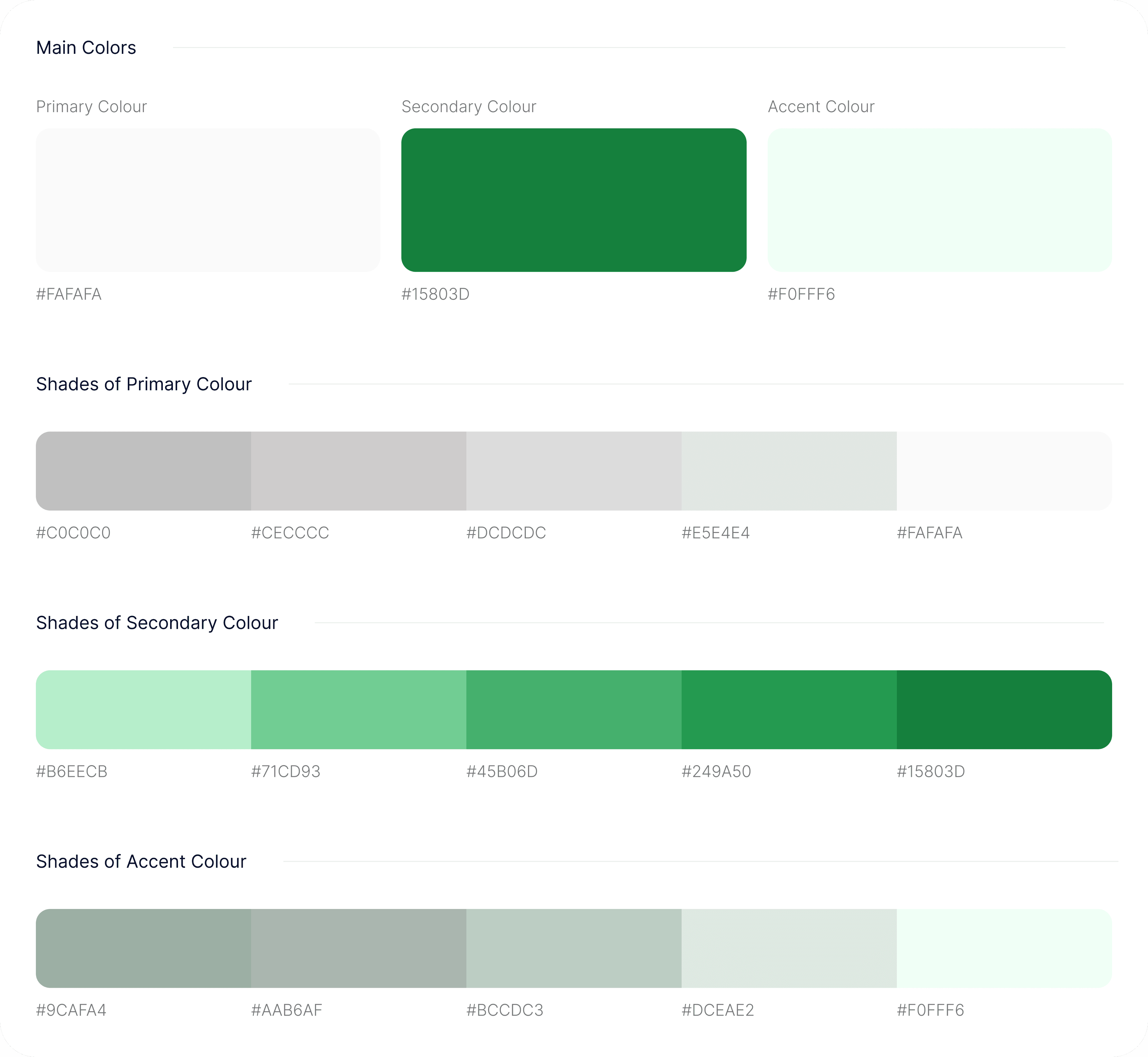
Typography
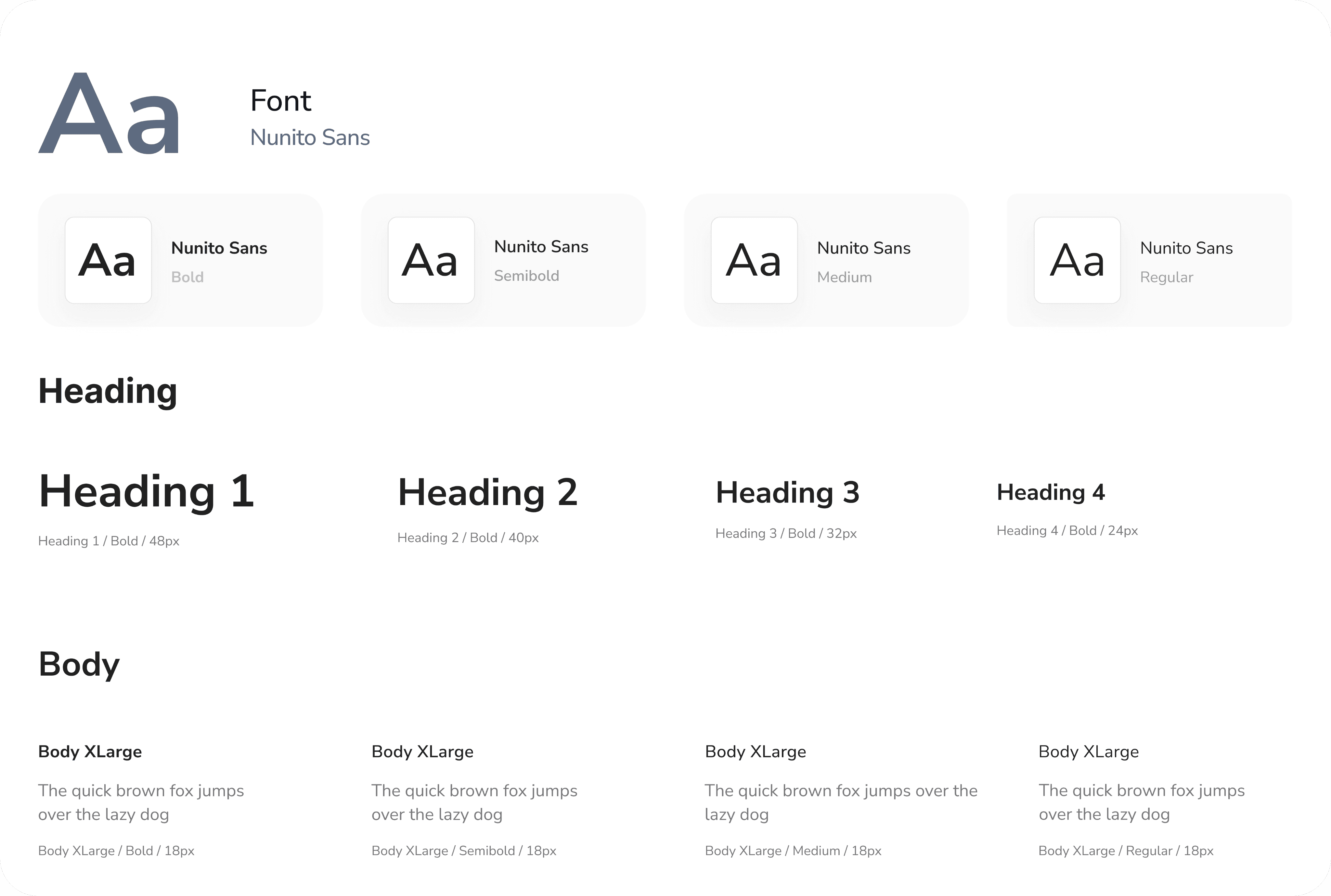
Iconography
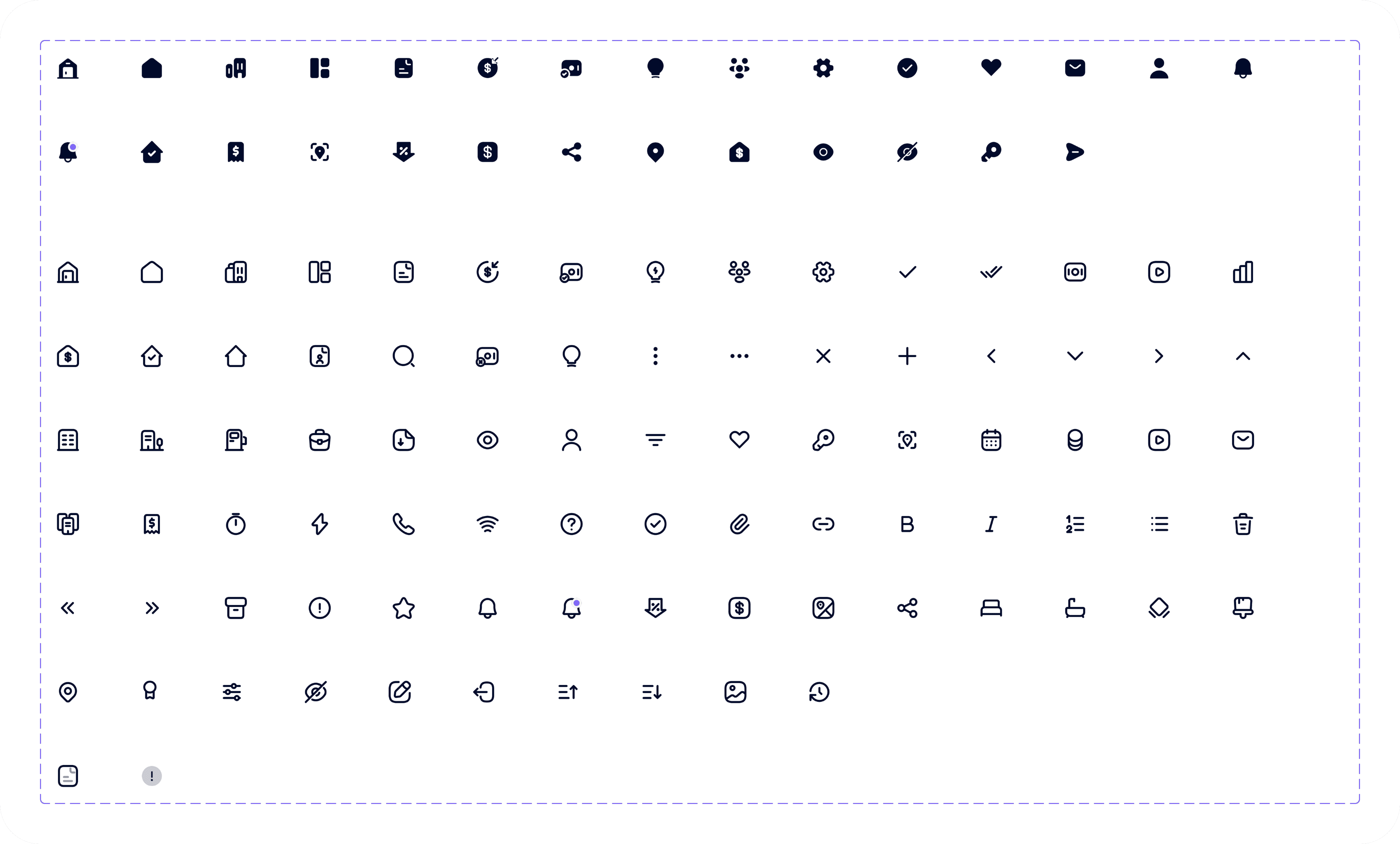
Management System
Smart Airs
Tax Revenue Collection System
Management System
Shepherd
Church Management System
Explore all projects


Available for Freelance
Back to Top
Available for Freelance
Back to Top
Let’s Create
something extraordinary
together
Let’s make an impact!


Victor C. Nwobodo
UI UX Designer



Contact me
designwithvcn@gmail.com
Hit me up if you’re looking for a fast, reliable UI UX Designer who can bring your vision to life
Designed with ❤️, Logic and a lot of Coffee.
Copyright © Web Design and Development, 2026
Created by
Victor Nwobodo