Igree
Type
Mobile Application
Category
E Commerce Application
Role
UI Designer
UX Designer

Mr. Joseph Ogbah
CEO @ J Vortex
Wigree
Igree is a social commerce mobile app built specifically for small business owners, combining a marketplace, in-app wallet, and social feed in one familiar interface. It lets sellers reach customers worldwide, accept payments, and build a preference-based following all without leaving the app.
Challenge
J Vortex set out to build something that small business owners actually needed: a social platform designed around how they work, not just how individuals share. The idea was straightforward, give small businesses the tools to grow and reach customers beyond their local markets, without the friction that comes with most platforms.
The app works like a familiar social media experience, but built specifically for commerce. Users get a built-in wallet for transactions, a marketplace that lets customers follow specific sellers by preference, and no geographic restrictions on who they can reach.
Goal
Igree gives small business owners one mobile app to sell, transact, and grow a loyal customer base without borders or fragmented tools. The aim is to take a business from local to global using nothing more than a phone.
Impact
Igree hands small business owners something they've never really had a level playing field. The seller on a quiet street now has the same reach as a brand with a marketing team, and everything they need to act on it is already in their pocket.
It doesn't just grow businesses. It changes who gets to grow at all.
Design process
Competitive analysis
What's already out there, what it gets wrong, and exactly where Igree fits in.

Built for connection, not commerce. Facebook bolted on Shops and Marketplace over the years, but the foundation is still a social feed chasing engagement. No built-in wallet, no seller loyalty system, and buying still pushes users off-platform to finish the job. Business is an afterthought here. It shows.

Great for looking good. Terrible for getting paid. Instagram drives discovery well, but the algorithm controls your reach, not your followers and monetizing still means leaving the app entirely. You can build an audience. Keeping them loyal to you specifically? Good luck.
How is Igree unique?
Igree's unique features:
Neither platform was built with a small business owner as the primary user. E Commerce was added on top of social, and it shows. Igree flips that entirely: the commerce layer comes first, and the social experience wraps around it.
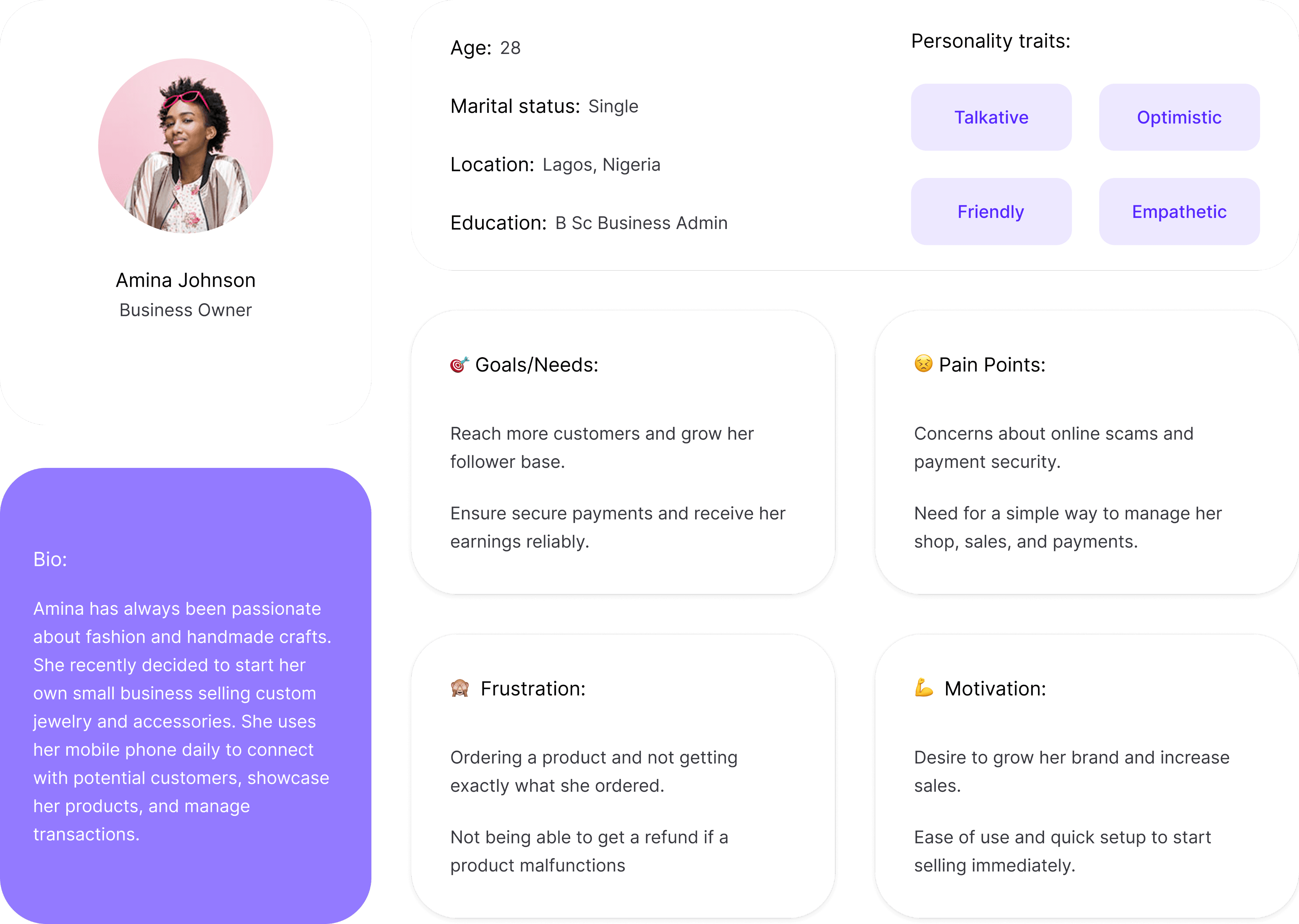
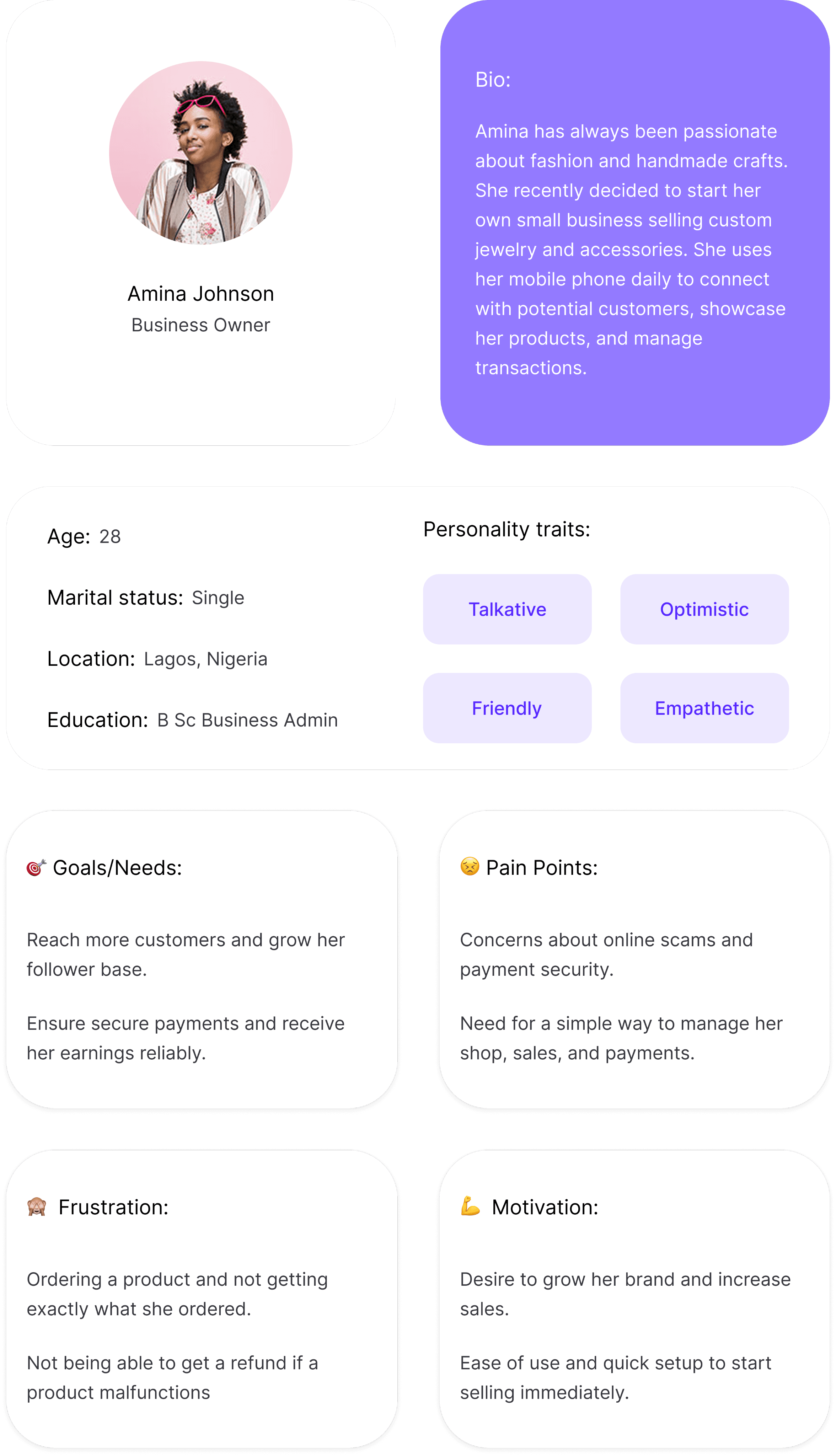
Meet the user
Real people, real problems. These personas shaped every decision
made in designing Igree.
User Task flow
Task 1
User login/ Onboarding process

Create Account
User signs up on Igree


Personal Details Entry
User enters personal information

Choose Interests
User selects product preferences

Choose Delivery company
User selects preferred shipping company

Account Creation Successful
Task 2
Ordering a product

Home Screen
User explores the homescreen

View Product
User sees & selects a product

Add to Cart
User intends ordering the selected product

Review Order
User verifies product's authenticity

Make Payment
User pays for the product
Order Successful
Order is made & user expects a delivery
Task 3
Uploading a product
Home Screen
User explores the homescreen

Opens Marketplace
User opens the Igree mini shop

Upload
User clicks on the upload button

Data Entry
User enters details of the product
Product Review
User reviews details entry
Upload Successful
User successfully uploads the product
Featured Screens
Creating an account
A user's steps in creating an account on Igree
This section walks users through setting up their account entering an email, creating a password, and selecting interests. Each step feeds directly into a personalized experience on Igree.
Ordering a product
A user's steps in ordering a product on Igree
This section walks through the product ordering flow on Igree, from browsing to checkout.
Uploading a product
A user's steps in uploading a product on Igree
This section walks through the product ordering flow on Igree, from browsing to checkout.
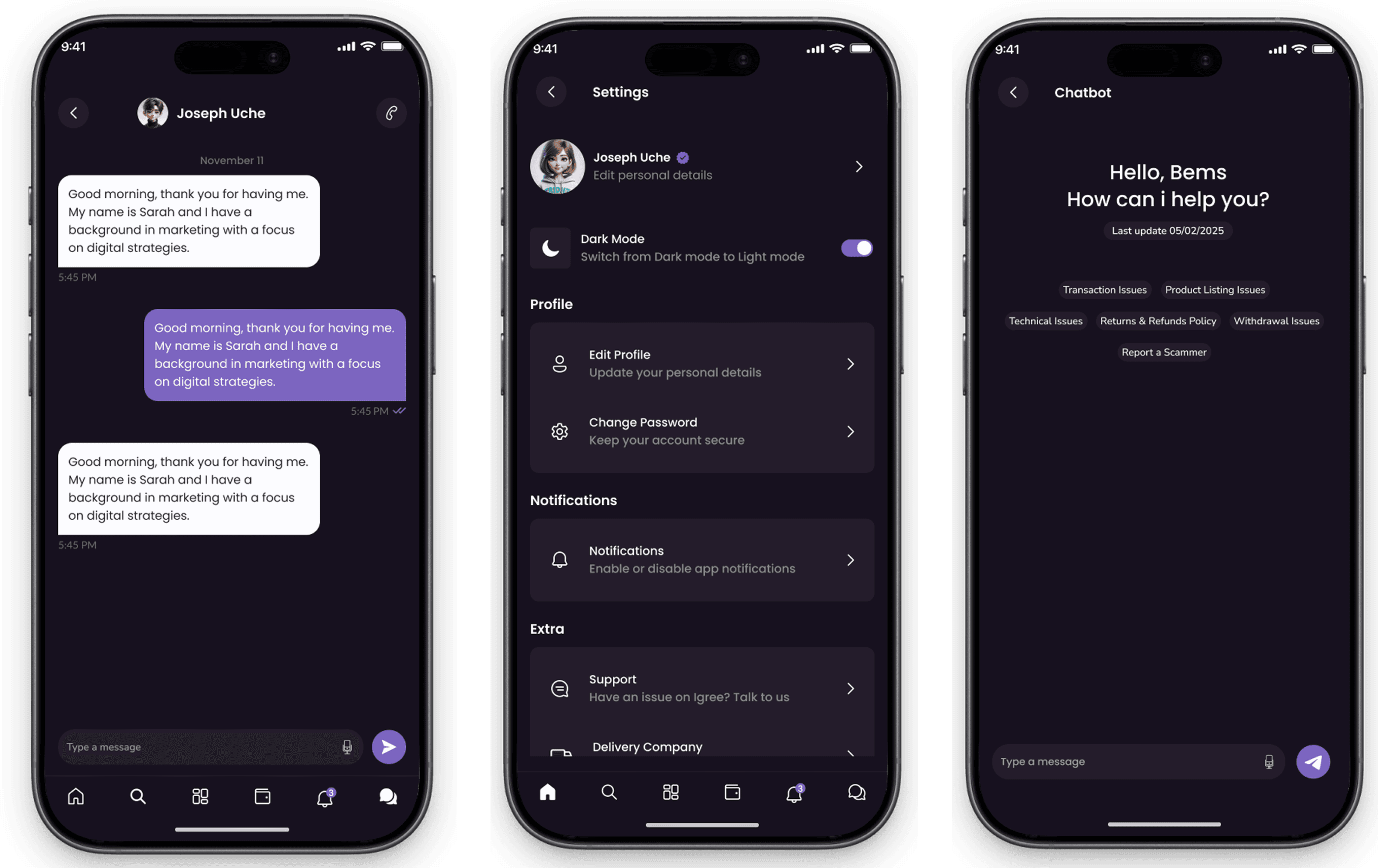
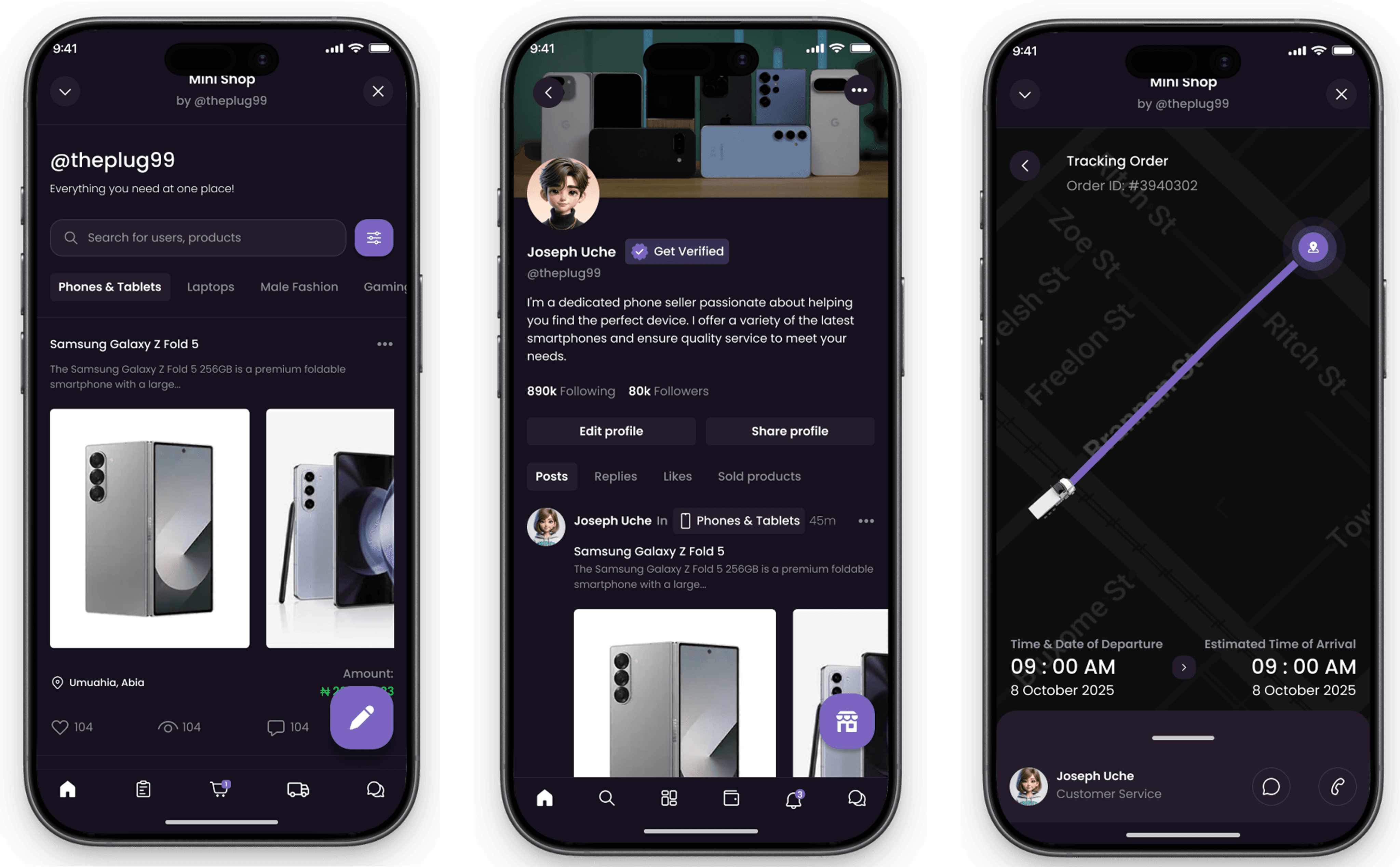
Other Screens
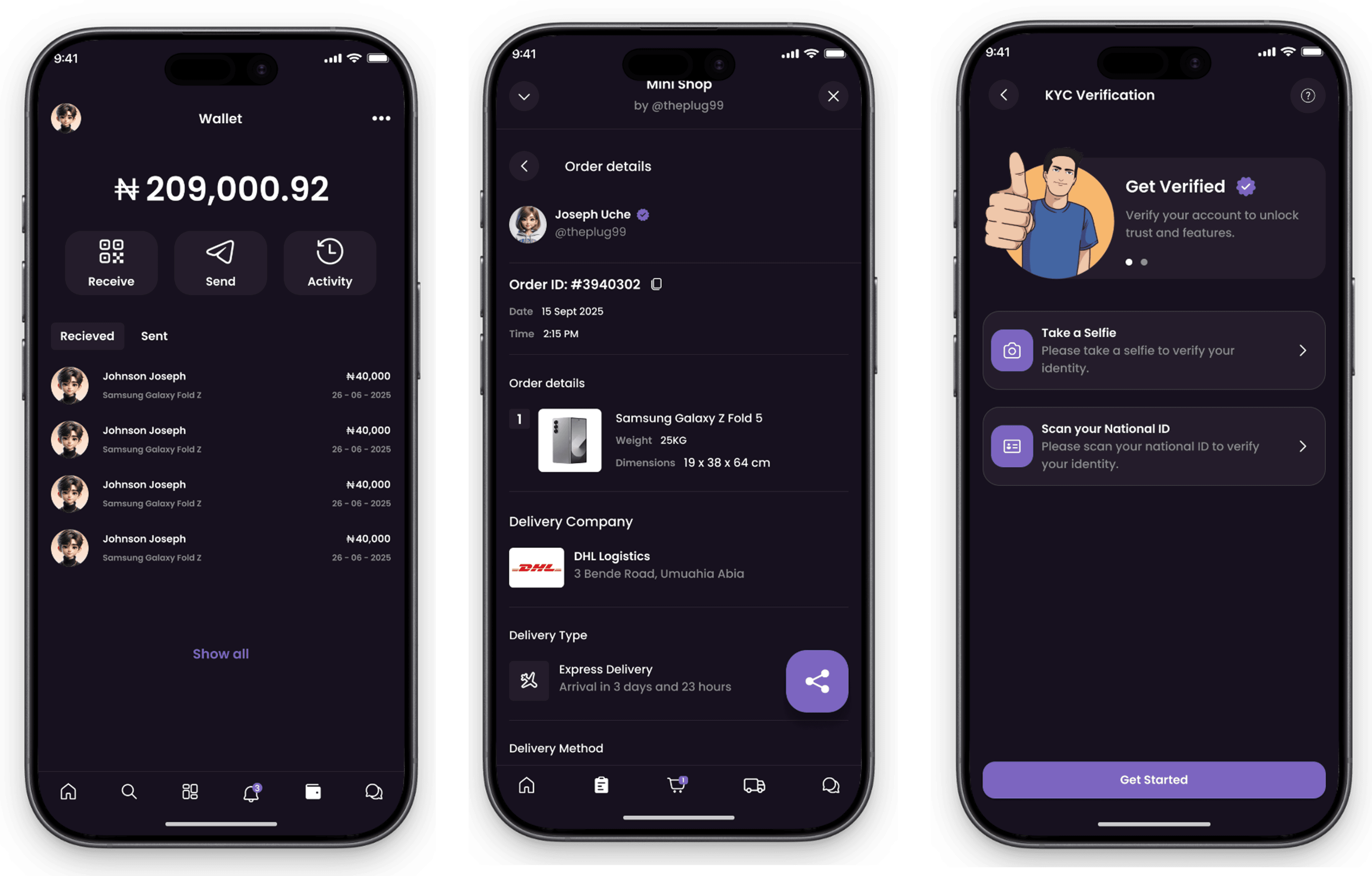
The supporting screens that keep the full experience tight every detail
accounted for, nothing left to chance.
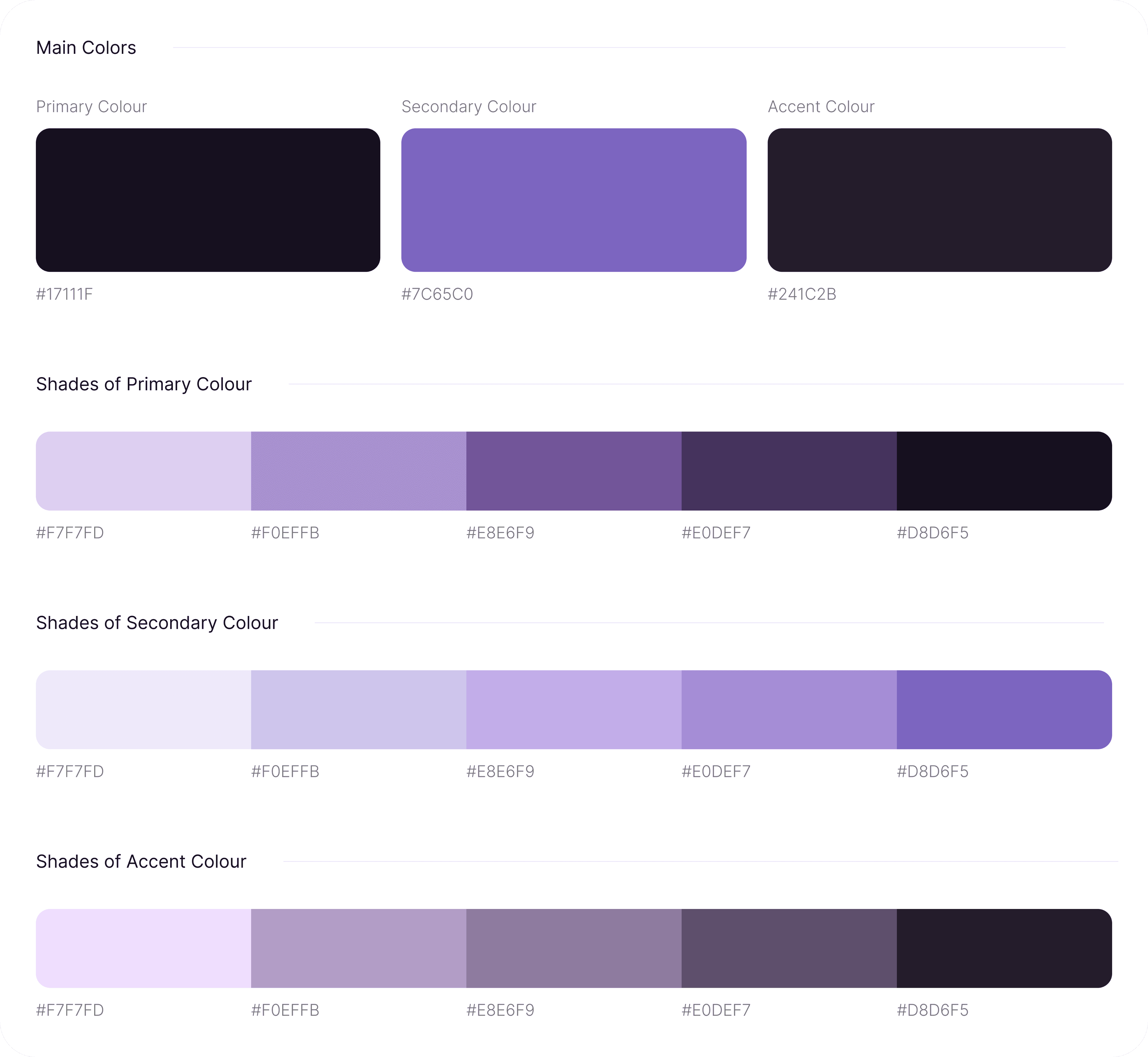
Colour guide
Every colour in Igree is deliberate chosen to build trust, guide attention, and keep the experience feeling consistent from screen to screen.
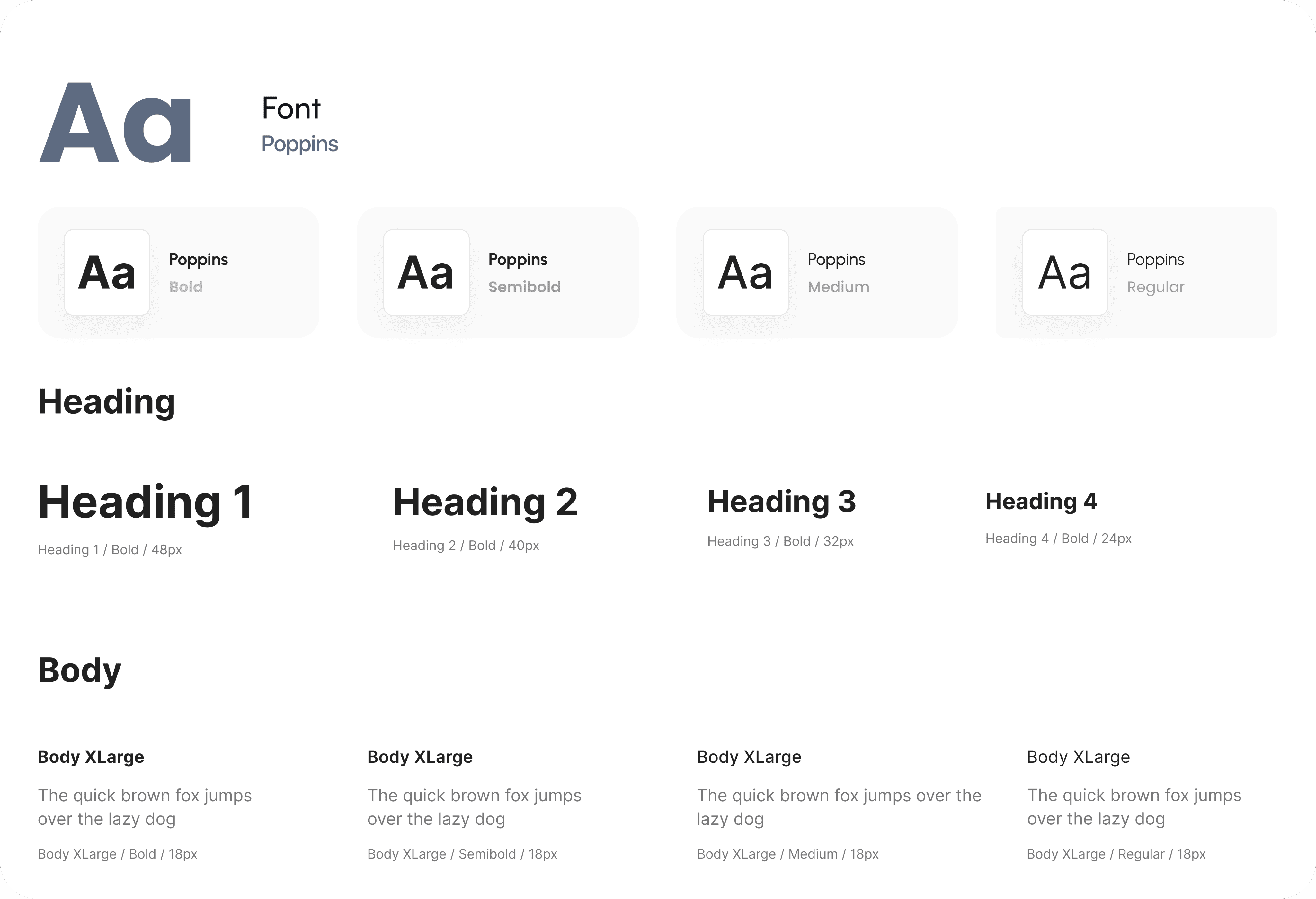
Typography
The typeface choices across Igree prioritize readability without sacrificing personality clean enough for commerce, distinct enough to own.
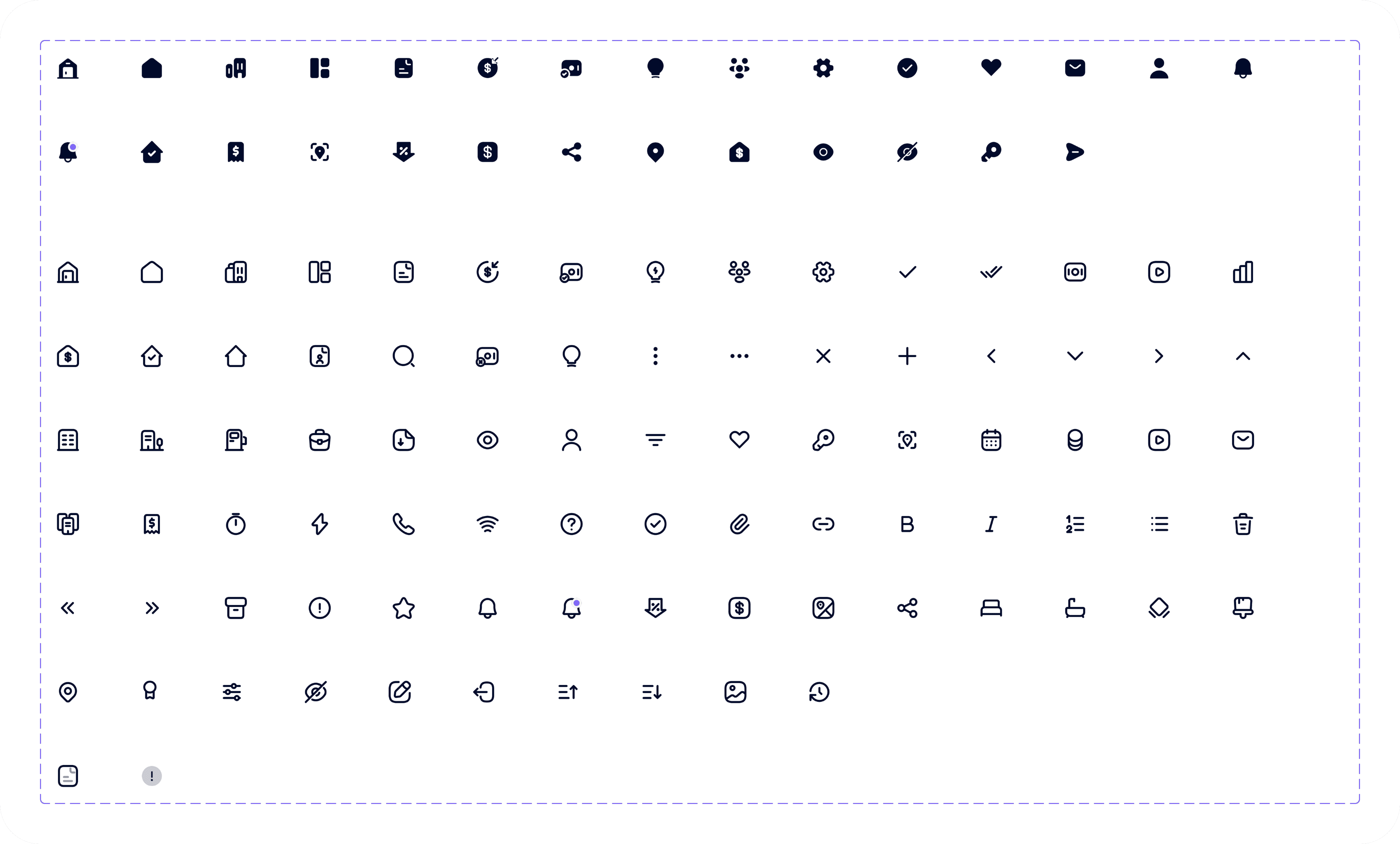
Iconography
Management System
Smart Airs
Tax Revenue Collection System
Web Application
Nabata
SaaS Hospitality Website


Available for Freelance
Back to Top
Available for Freelance
Back to Top


Victor C. Nwobodo
UI UX Designer



Contact me
designwithvcn@gmail.com
Hit me up if you’re looking for a fast, reliable UI UX Designer who can bring your vision to life
Designed with ❤️, Logic and a lot of Coffee.
Copyright © Web Design and Development, 2026
Created by
Victor Nwobodo